
How to Add a Site Icon in WordPress
Something I recently discovered is how to add a site icon. I randomly stumbled across the option after exploring my new theme. A site icon is the small picture (usually a logo) that appears next to a website’s name in the browser tab. I think it also shows up when links are posted on Facebook or in comments. I could be mistaken though.
To add one, you just navigate through the following:
- 1. Appearance->
- 2. Theme->
- 3. Customize->
- 4. Site Identity->
- 5.Upload Site Icon->
- 6. Publish
I guess it’s not really a trick, but I do think it’s a small detail that can make a website look more complete and personalized. I thought it was worth sharing because it’s one of those features that I probably wouldn’t have really thought about unless I happened to come across it like I did.
After learning how to add a site icon, I came across an article called Why Every Website Needs a Favicon that explains why they’re actually important. I didn’t realize that something so small could make a difference in both branding and user experience. It makes sense though, especially when you have a bunch of tabs open and can recognize a website just by its icon.
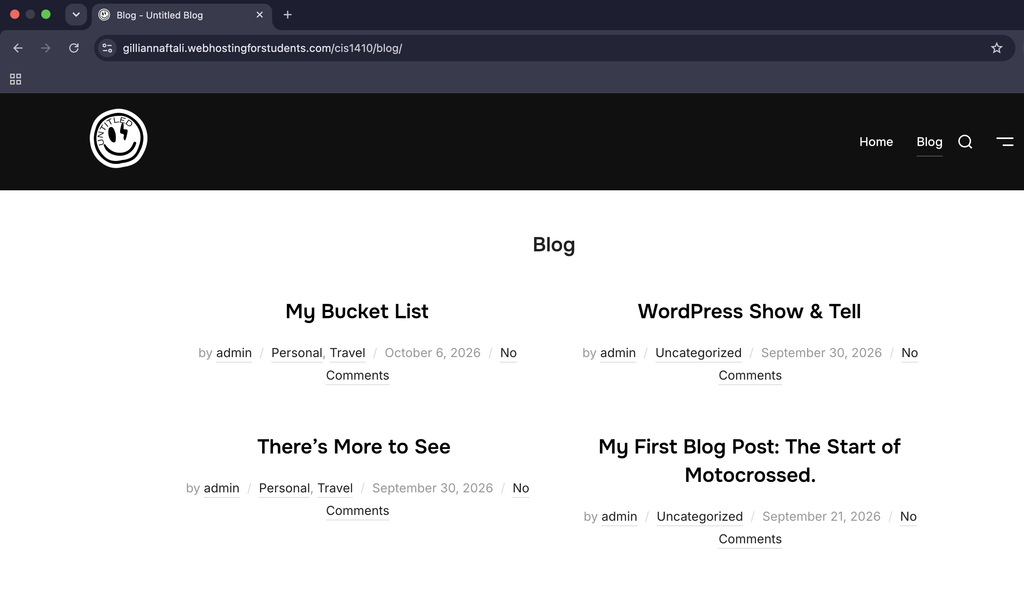
Here’s an example of what my website looks like after adding a site icon! You can see the small icon in the browser tab, along with my logo in the upper left corner of the website